
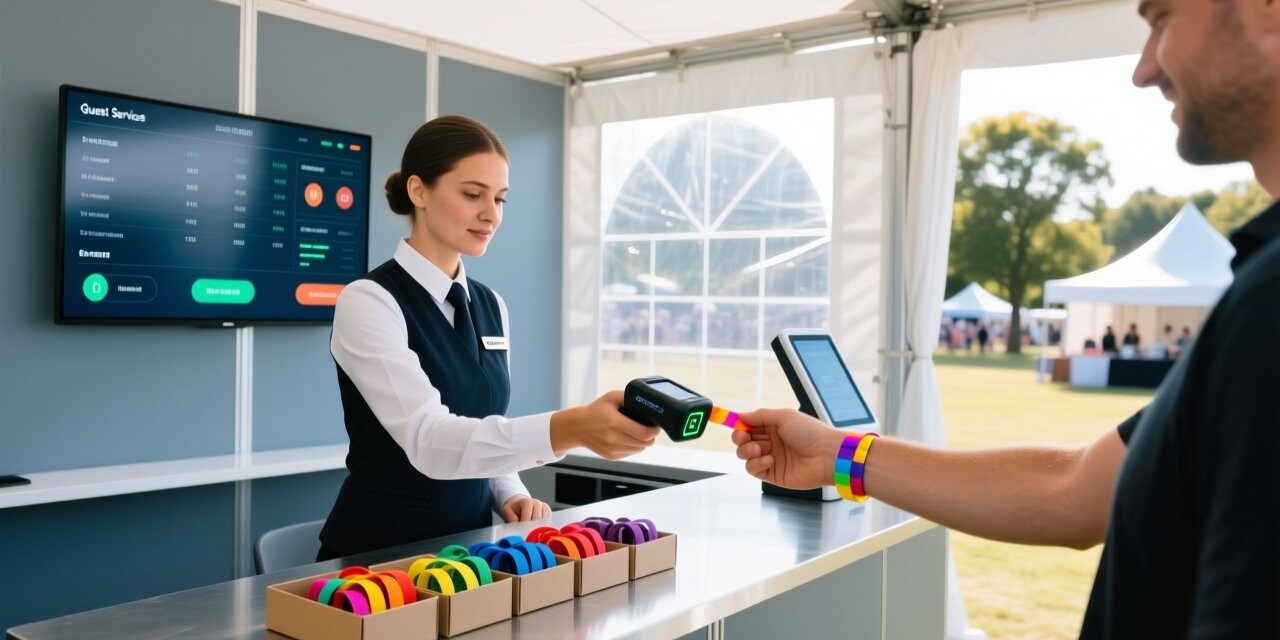
On-site RFID wristband issues are a normal part of festival operations. A lost wristband at the gate, a damaged band after a rainstorm, or a faulty chip that fails at a cashless point can quickly turn a positive guest moment into a service bottleneck. For event teams, the difference between a controlled recovery and a chaotic reissue line comes down to having a clear, repeatable RFID wristband replacement workflow.
This playbook outlines practical steps for guest services leads, box-office supervisors, and operations managers who handle lost, damaged, faulty, or forgotten RFID wristbands on event days.
Why On-Site Replacement Needs a Defined Workflow
Without a standard process, reissue decisions become inconsistent. A staff member may issue a replacement without deactivating the original band, creating two active credentials for the same ticket. Another may waive replacement fees arbitrarily. A defined workflow protects access control, preserves cashless balances, and supports fair fraud prevention.
It also improves guest services wristband support. Guests who receive fast, fair resolutions are more likely to remain on-site, buy food and beverage, and return for future events. A predictable process also reduces supervisor interruptions because frontline agents can follow clear rules for common cases.
Common On-Site RFID Wristband Scenarios
Most on-site issues fall into one of four categories, and each requires a different verification path.
- Lost wristband: the guest cannot present the original credential.
- Damaged wristband: the band is cut, torn, water-damaged, or physically broken.
- Faulty wristband: the band is physically intact but fails to read at entry or point-of-sale.
- Forgotten wristband: the guest left the band at home, in a hotel, or at another location.
Each scenario requires a different verification path, but all share the same first principle: deactivate before reissue. Treating every case as a potential lost wristband replacement helps maintain consistent access-control integrity.
Deactivate First: Block Lost Wristbands Before Reissue
The most critical step in any festival wristband reissue is to block the original credential before a replacement is activated. RFID wristband deactivation prevents a lost or suspected stolen band from being used at gates, bars, lockers, or cashless terminals after the guest has left the service desk.
Using a handheld RFID reader or integrated access-control software, staff should mark the original tag ID as inactive, lost, or blacklisted. Only after the original tag is blocked should the replacement be encoded and issued.
A simple deactivation checklist includes:
- Confirm the guest’s identity and order record before touching system records.
- Locate the original RFID tag ID in the event database.
- Set the original wristband status to deactivated or blacklisted.
- Document the reason code: lost, damaged, faulty, or forgotten.
- Verify the replacement band is uniquely encoded and assigned to the same guest profile.
Verification: ID Check and Purchase Record Review
Before any RFID wristband replacement event, staff should verify two things: who the guest is and what the original purchase entitles them to. Acceptable verification may include government-issued ID, the original confirmation email, or the purchasing account. At minimum, the name on the order should match the guest’s ID, or the guest should pass an account recovery challenge if the purchase was made by someone else.
This step is essential for lost wristband replacement and forgotten band requests. Requiring ID and purchase confirmation prevents someone from picking up a found band and requesting a duplicate credential. It also gives the team a clear record if a disputed reissue escalates later.
Reissue Workflow: Dedicated Guest Services Stations and Staffing
Event teams should operate a dedicated guest services wristband station separate from general ticket sales. This keeps routine box-office transactions from being delayed by complex replacement cases.
A basic wristband reissue workflow can follow this sequence:
| Step | Action | Owner |
|---|---|---|
| 1 | Triage and log the issue | Guest services lead |
| 2 | Verify ID and purchase record | Box-office or guest services agent |
| 3 | Deactivate original wristband | System operator |
| 4 | Confirm cashless balance or entitlements | Cashless support |
| 5 | Encode and issue replacement band | System operator |
| 6 | Test the new band at the desk | Guest services agent |
Staffing should include at least one senior supervisor who can approve exceptions, one system operator with access to deactivation and balance transfer, and one guest-facing agent to manage the queue. For large festivals, a runner may also be useful to restock wristband types or escalate unusual cases.
Fraud Prevention: Prevent Duplicate-Active Wristbands
Duplicate-active wristbands are among the highest-risk event wristband problems. If the old band remains active after a replacement is issued, two people can enter on one ticket or spend from one cashless wallet. Fraud prevention depends on enforcing single-active-credential rules at the system level.
Operational controls include:
- Always deactivating the original before issuing a new band.
- Requiring a signed replacement log for each reissue.
- Restricting reissue permissions to trained supervisors or system operators.
- Running a daily report of all active bands with duplicate guest profiles.
- Using unique tag IDs and reason codes on every replacement.
This is the core of wristband reissue fraud prevention. The system, not the staff member alone, should prevent two active wristbands from sharing one ticket or wallet. Regular audits also help identify staff errors before they become exploitable patterns.
Balance Transfer: Move Cashless Balance to Replacement Wristband
When a guest has a cashless balance loaded on a lost or damaged band, the balance transfer must occur only after the original band is deactivated. The workflow should move the remaining balance to the replacement wristband while leaving the blocked band with zero available funds.
Best practice is to have the cashless system record both the old and new tag IDs in the same transaction log. This creates an audit trail for later reconciliation. If the original band later appears, it should remain inactive until a supervisor decides whether to reactivate it after verifying that the replacement has been voided.
Damaged vs Faulty: Warranty Replacement vs Repurchase Policy
Event teams should distinguish between damaged wristband event cases and faulty product cases. A damaged band usually results from guest handling, such as cutting the band too short, exposure to extreme heat, or physical tearing. A faulty band fails to read despite being intact and worn correctly.
Policy guidance can be summarized as:
- Faulty wristband: replace at no charge if the defect is confirmed by a test read at the service desk.
- Damaged wristband: apply the published replacement fee or repurchase policy, unless the damage is clearly caused by a product defect.
- Lost or forgotten wristband: apply the highest verification standard and the published reissue fee.
Clarity prevents disputes and speeds up the guest services wristband queue. It also gives staff a consistent answer when guests ask why a torn band is not free while a faulty one is.
Use Disposable Tyvek Backup for Last-Minute One-Day Access
For last-day access, multi-day pass holders who cannot locate their original band may not need a full-featured replacement. A disposable RFID Tyvek wristband can serve as a one-day access credential while the original is deactivated. Tyvek bands are lightweight, quick to encode, and cost-effective for short-term use.
For similar one-day scenarios, some event teams also keep RFID disposable paper wristbands as a secondary backup. This approach supports faster festival wristband support without issuing an expensive silicone or woven replacement for a single remaining day.
Queue Management: Add a Fast Lane for Wristband Issues
A dedicated fast lane reduces pressure on general ticketing and prevents frustrated guests from blocking routine transactions. At the fast lane, staff can quickly triage event wristband problem solving into two categories: cases that can be resolved at this station and cases that require supervisor review.
Use simple visual signage to direct guests with band issues away from purchase lines. If possible, place the replacement station near a reader test point so staff can demonstrate that the new band works before the guest leaves. This small step reduces repeat visits and builds confidence in the reissue process.
Reporting: Track Replacement Rates to Identify Failure Causes
Replacement data is a valuable operational signal. Track daily and per-gate replacement counts, reason codes, product types, and station wait times. If a specific batch of RFID silicone wristbands shows an unusual faulty rate, the team can isolate the batch and escalate to the vendor before the issue spreads.
A simple post-event report should include:
- Total wristbands issued vs. total replacements.
- Replacement reason breakdown: lost, damaged, faulty, forgotten.
- Average handling time at guest services stations.
- Fraud incidents or duplicate-active alerts.
- Product-level failure rates by batch and type.
These metrics support vendor negotiations, staff training, and better festival wristband reissue planning for the next event. They also help identify whether replacement demand is driven by product quality, guest behavior, or process gaps.
A controlled RFID wristband replacement and reissue process is not just a guest service task; it is a fraud prevention and revenue protection function. By deactivating first, verifying identity, moving balances carefully, and tracking every reissue, event teams can protect access control and keep guests moving through the festival experience.
FAQ
What is the first step when a guest reports a lost wristband?
Deactivate the original wristband before issuing a replacement. This prevents the lost band from being used for entry or cashless payment after the guest leaves the service desk.
Can a cashless balance be transferred to a replacement wristband?
Ja. After the original band is deactivated, transfer the remaining balance to the new tag ID and record both identifiers in the cashless transaction log for audit purposes.
Should damaged and faulty wristbands be treated the same?
Nein. A faulty band that fails to read while intact is typically replaced under warranty. A physically damaged band is usually subject to the event’s published replacement or repurchase policy.
How can event teams reduce long replacement queues?
Use a dedicated guest services fast lane, separate replacement issues from general ticket sales, staff the station with a supervisor and system operator, and use disposable backup bands for simple last-day access cases.
What data should event teams track after the event?
Track total replacements, reason codes, product batch failure rates, average handling times, and duplicate-active alerts. This helps identify faulty products, staffing gaps, and potential fraud patterns.
Plan Your On-Site Wristband Support with RFIDHY
Need reliable RFID wristbands and replacement-ready stock for your next festival? Explore disposable RFID Tyvek wristbands for quick backup access, or discuss your full event wristband program with our team.
Contact RFIDHY for product recommendations, bulk pricing, and on-site replacement planning.